Manager approval for Service Episode exits
12 September 2026
Closing a Service Episode can now go to a manager for approval before it takes effect. Instead of completing straight away, you submit an exit request; a manager approves or rejects it, and only an approved request closes the Service Episode.
Each service decides which positions may exit without approval, and the default is supervisors and managers. So unless your organisation has changed it for a service, everyone else — Case Workers included — now has to request approval to close a Service Episode on that service.
Which version you get
You still start the same way — the Actions menu on the Service Episode's Overview tab, then Exit Service Episode. What opens depends on your position in that particular service:
| If your position | The dialog is titled | What you can do |
|---|---|---|
| Isn't on the service's list | Request Service Episode Exit | Fill in the details and send them to a manager |
| Is on the service's list | Exit Service Episode | Choose: complete it now, or send it to another manager |
The list belongs to the service contract, not to you and not to your organisation as a whole. Two consequences worth knowing: the same person can close directly on one service and have to ask on another, and two contracts for the same service can have different rules.
Requesting an exit
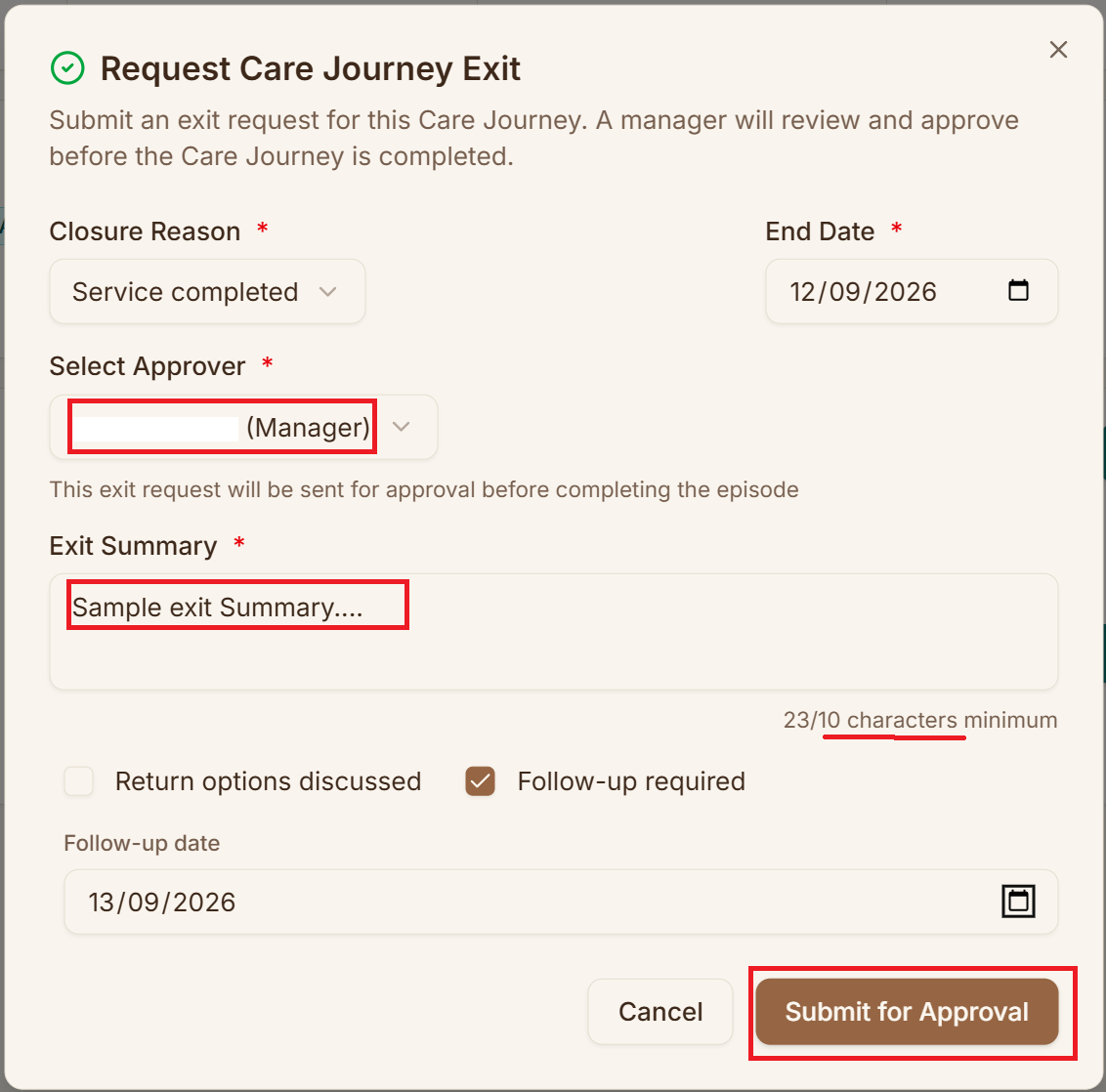
The fields you already know are unchanged: Closure Reason, End Date, Please specify when the reason is "Other", the required Exit Summary with its ten-character minimum, Return options discussed, and Follow-up required with a date.
What's new is Select Approver, which is required. Pick the manager who should review this exit:
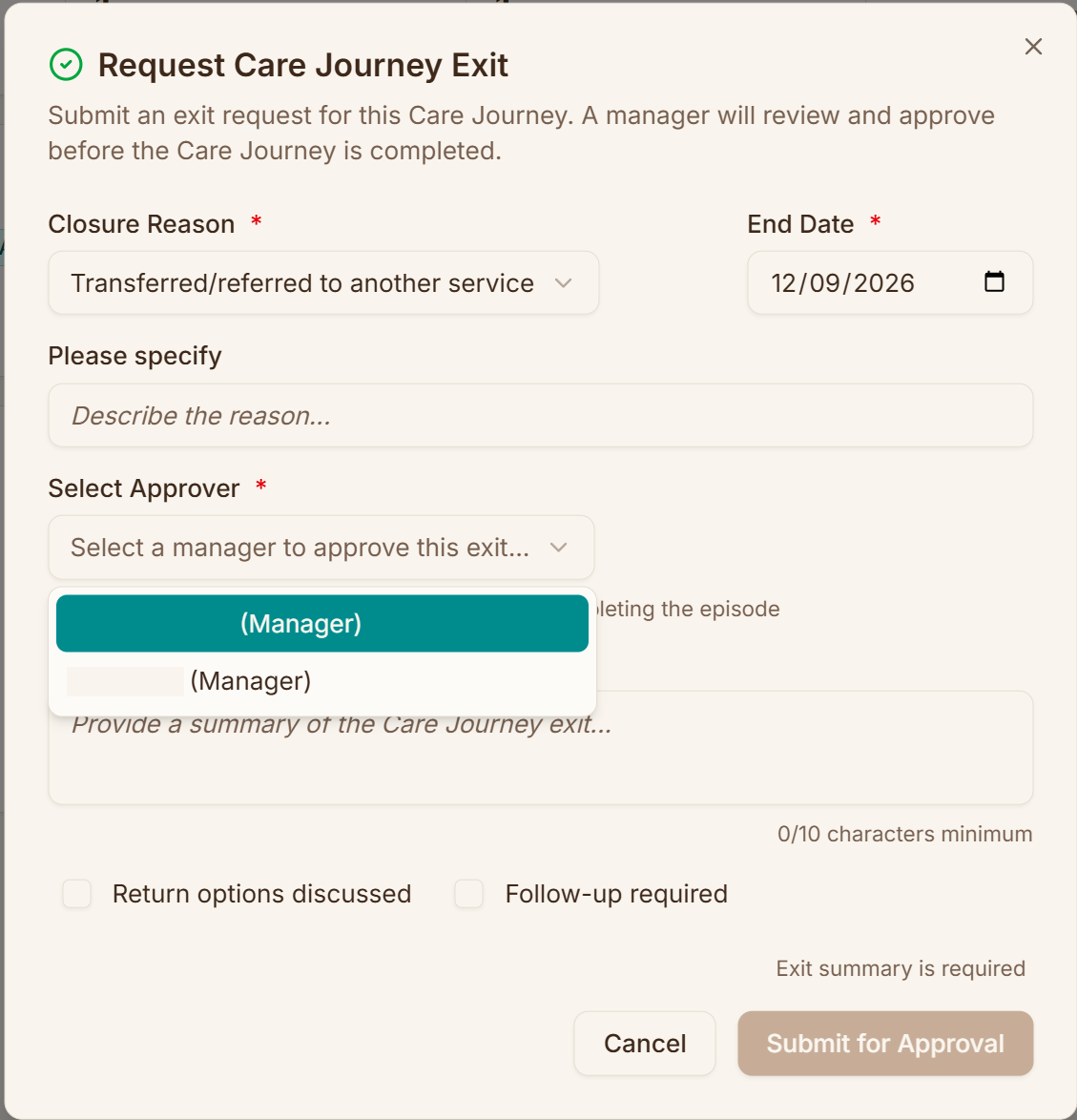
You can't pick yourself, so if you're the only person on the service who could approve it, you won't appear in your own list.
If nobody is available you'll see No other managers available for this service in place of the list. The request can't be submitted without an approver, and there's no way to bypass it — so you won't be able to close that Service Episode at all until someone suitable is added to the service. Ask your administrator rather than working around it.
Then choose Submit for Approval.
While it's waiting
The Service Episode stays open and picks up an Awaiting Exit Review badge, with a banner showing who submitted the request, who's reviewing it, and the requested end date.
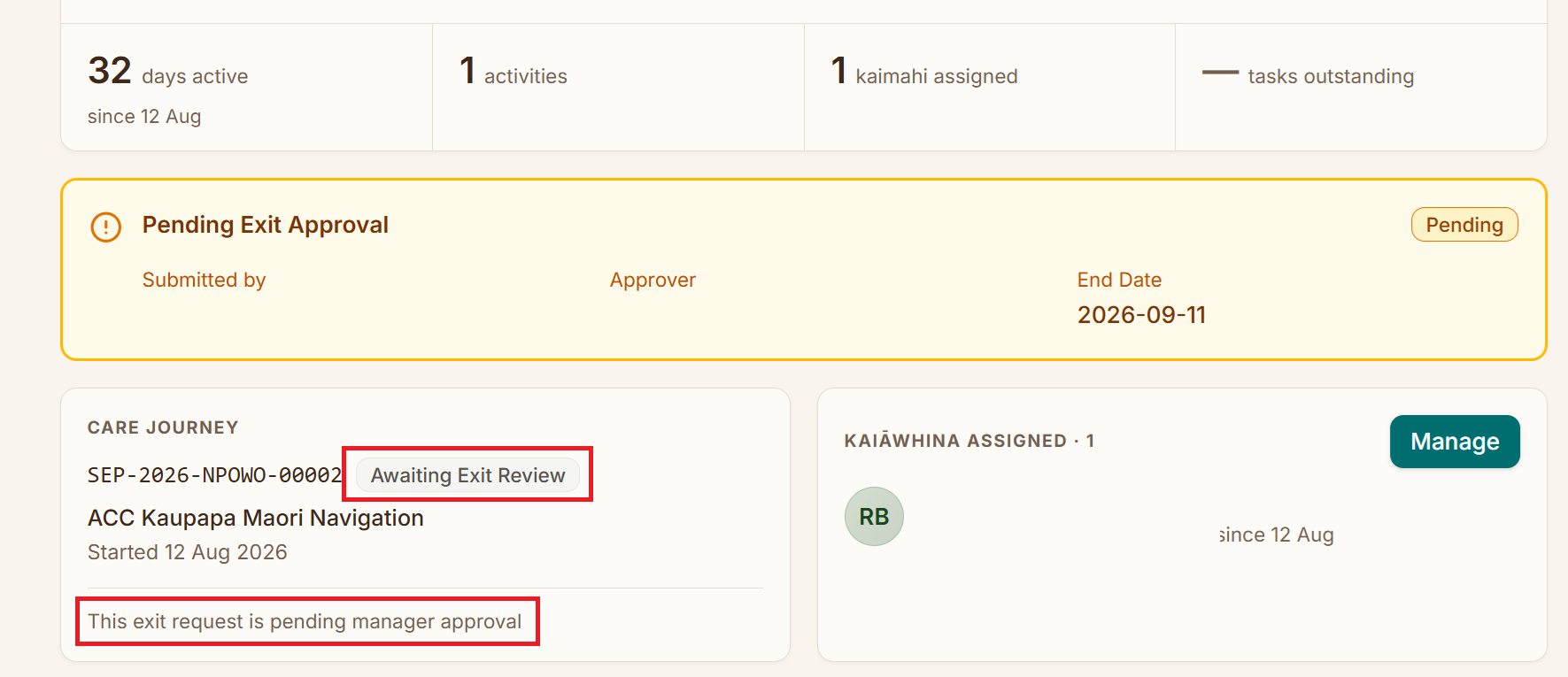
While a request is pending, Exit Service Episode disappears from the Actions menu, and there's no way to cancel or edit what you sent. If something's wrong with it, ask your approver to reject it — then you can submit a corrected one.
Reviewing a request
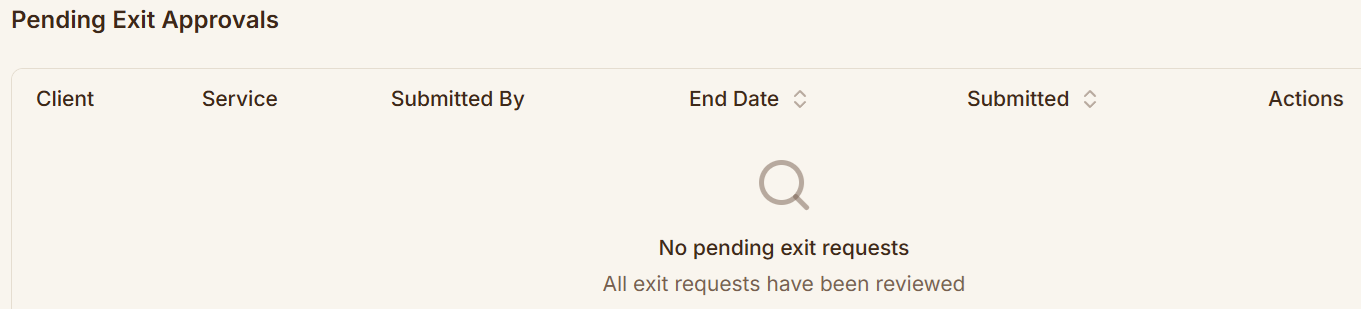
If you approve exits, pending requests collect in Pending Exit Approvals on your Dashboard:

Selecting a row opens the full request:
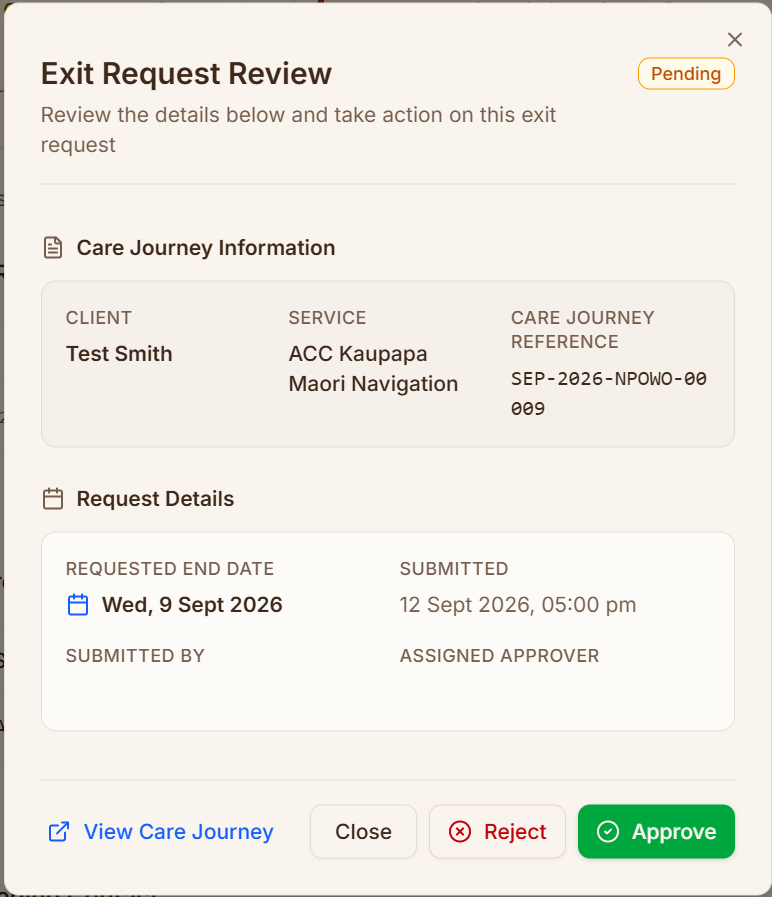
View Care Journey opens the full record if you want more context before deciding. You can't amend a request — approve it as submitted, or reject it.
Approving confirms with Exit request approved for the client's name, and closes the Service Episode using exactly what was submitted:
- The end date, closure reason and Exit Summary from the request are written to the Service Episode
- Whether it ends as Completed or Closed follows the closure reason the requester chose — it isn't a second decision you make
- The linked Referral is closed to match
- An Exit Episode Activity is written, titled after you as the approver rather than the person who asked
Rejecting
Rejecting needs a reason, which is stored against the Service Episode:
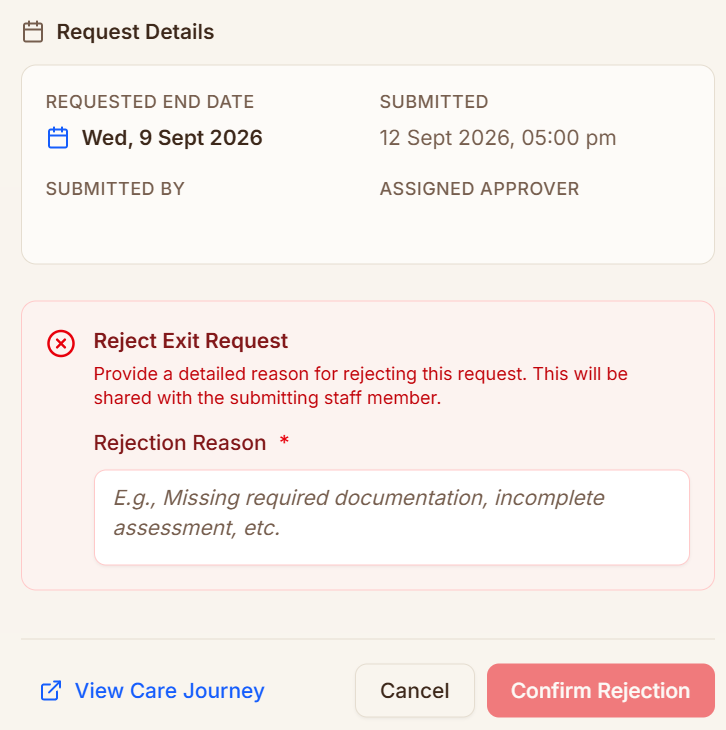
The placeholder suggests the kind of thing that belongs here — missing required documentation, incomplete assessment. A rejection puts the Service Episode back exactly as it was, Active or On Hold, with no end date or closure reason recorded, so the work can be finished and resubmitted.
Nobody is notified of a rejection. The person who asked gets no email, no alert and no badge; the next time they open the Service Episode the amber banner is simply gone. Your reason is written to the timeline as an Exit Rejected Activity, and nothing points them to it. If you reject a request, message the person as well.
If a request of yours disappears without explanation, that's what happened — check the Service Episode's Activity list for an Exit Rejected entry and you'll find the reason there.
When there's nothing waiting, the table says so:
If you can approve your own exits
If your position is on the service's list, an Approval Mode section appears at the top of the dialog — two tiles you select between, above the closure reason:
| Tile | What it does |
|---|---|
| Complete now | "You will complete this exit immediately with your authority" — closes the Service Episode there and then, as before |
| Send for approval | "This exit will be sent to another manager for approval" — hands it to a colleague to review |
Complete now is selected for you, so if you do nothing the behaviour is the same as it has always been.
Choosing Send for approval reveals the same Select Approver field, with the note "You are delegating this approval to another manager". The button at the bottom changes to match: Complete Service Episode if you're finishing it yourself, Submit for Approval if you're delegating.